DOCS
Setup guide
Formchan works as the place your form sends to. Here is everything you need to connect it.
BUILD WITH AI
Building with AI? Give it the URL and the spec.
Give your coding AI the submission URL from your dashboard and this Markdown specification. It can connect your existing form or build a new one.
View instructions for your AI
Connect this website’s contact form to Formchan.

Submission URL: [paste the dedicated URL from the dashboard]
Integration specification: https://formchan.app/lp/integration-en.md

Read the specification and implement the integration while preserving the existing design. Create a form if there is none. Include validation, sending, success and error states, duplicate-submission prevention, and instructions for a test submission.
Get started
When you sign up, your first form is created for you. Copy the URL shown in your dashboard and put it in your form’s action. Use POST as the method.
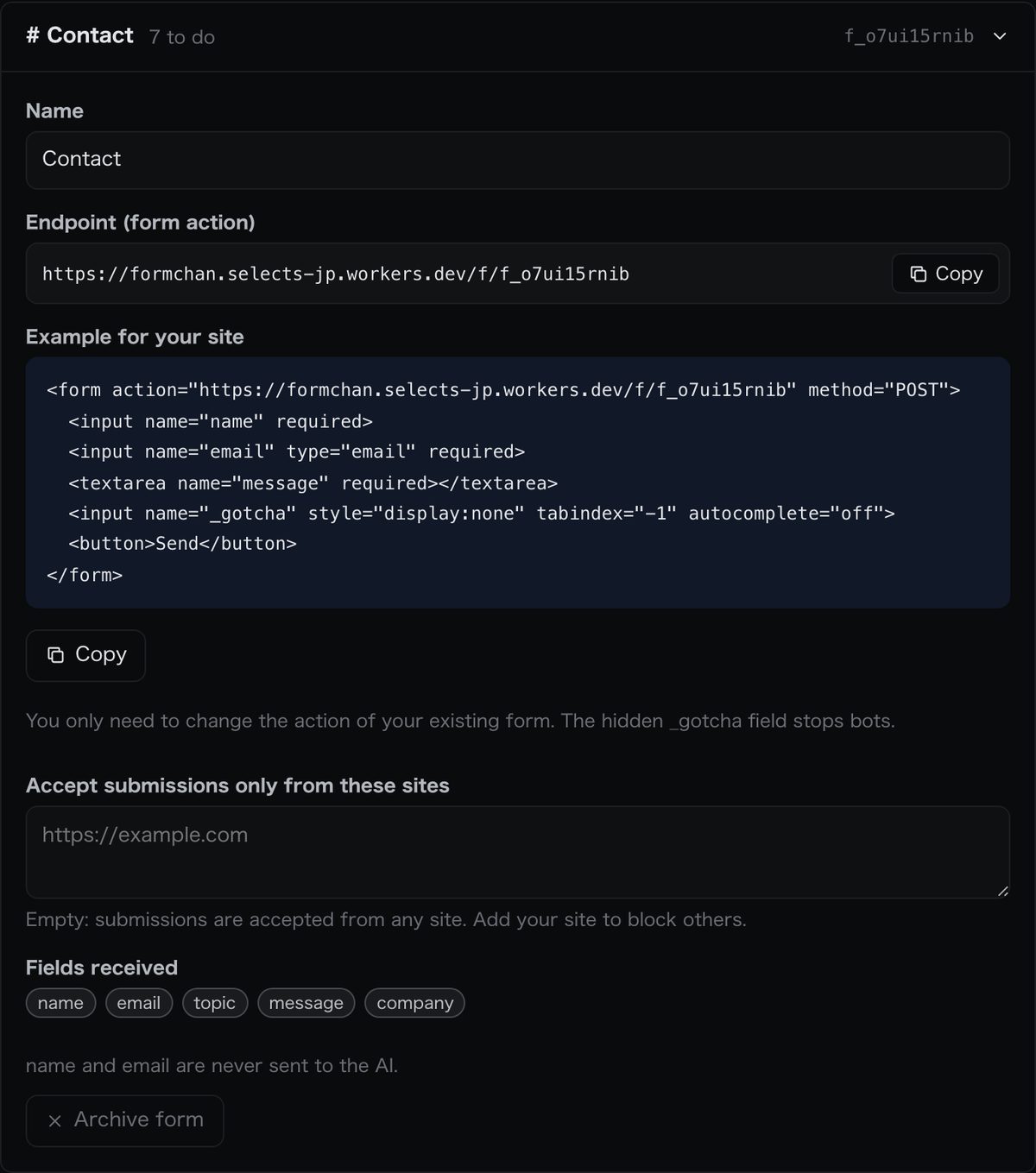
<form action="https://formchan.app/f/YOUR_FORM_KEY" method="POST">
  <input name="name">
  <input name="email" type="email">
  <textarea name="message"></textarea>
  <button>Send</button>
</form>
After someone sends the form, they see a confirmation page. The message arrives in your inbox, and the AI adds ★ and tags.
Field names
You can name fields however you like. Every field that is sent appears as it is in the inbox and in notification emails.
The email address used for replies is read from a field named email. mail and _replyto also work. The sender’s name is read from name or fullname.
One submission can be up to 64 KB, with up to 50 fields and 5,000 characters per field.
After sending
If you set nothing, Formchan shows its own confirmation page with a link back to the previous page.
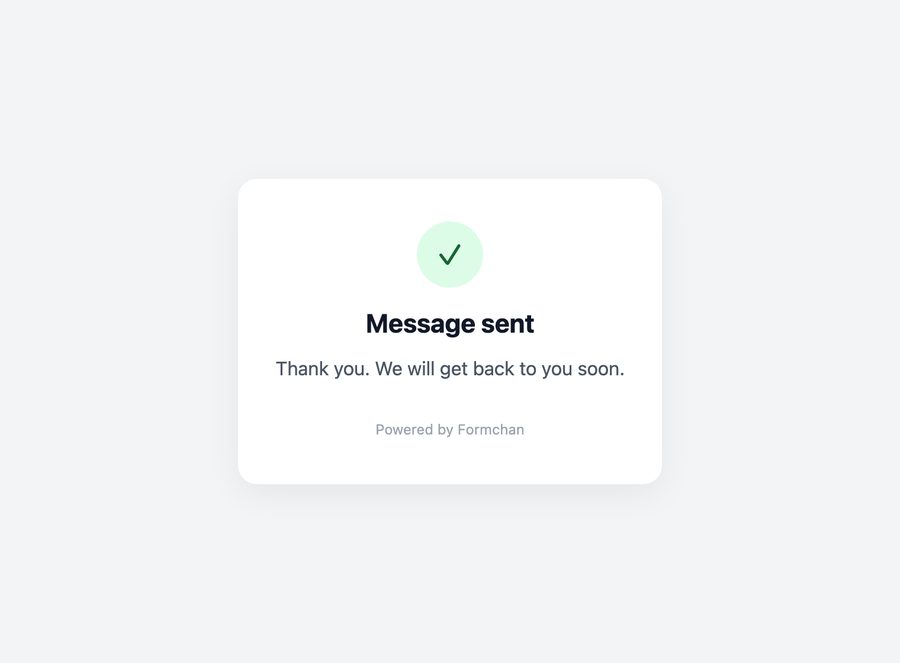
To send people to your own page, put its URL in a hidden field named _next.
<input type="hidden" name="_next" value="https://example.com/thanks">
Sending from JavaScript
Send with the header Accept: application/json and Formchan answers in JSON instead of showing a page. The visitor stays on your page.
const res = await fetch('https://formchan.app/f/YOUR_FORM_KEY', {
  method: 'POST',
  headers: { Accept: 'application/json' },
  body: new FormData(form),
});
const data = await res.json(); // { ok: true }
On success you get ok: true. On failure you get ok: false and one of these error codes.
| Code | HTTP | Meaning |
|---|---|---|
not_found | 404 | The form does not exist |
origin | 403 | Sent from a site the form does not accept |
rate | 429 | Too many messages in a short time |
body | 400 | The content could not be read |
empty | 400 | Every field was empty |
Spam protection
Add a hidden field named _gotcha to your form. People cannot see it, but bots fill it in. Those submissions are accepted on the surface and then thrown away.
<input name="_gotcha" style="display:none" tabindex="-1" autocomplete="off">
Messages sent many times from the same place in a short time are refused.
In the form’s settings you can list the sites allowed to send to it. Submissions from other sites are refused.
WordPress, Webflow and more
- HTML
- Use the form code above as it is.
- WordPress
- Paste the form code into a Custom HTML block.
- Webflow
- In the form’s settings, put the URL in Action and set Method to POST.
- React / Next.js
- Send with fetch, as shown in Sending from JavaScript.
Notifications
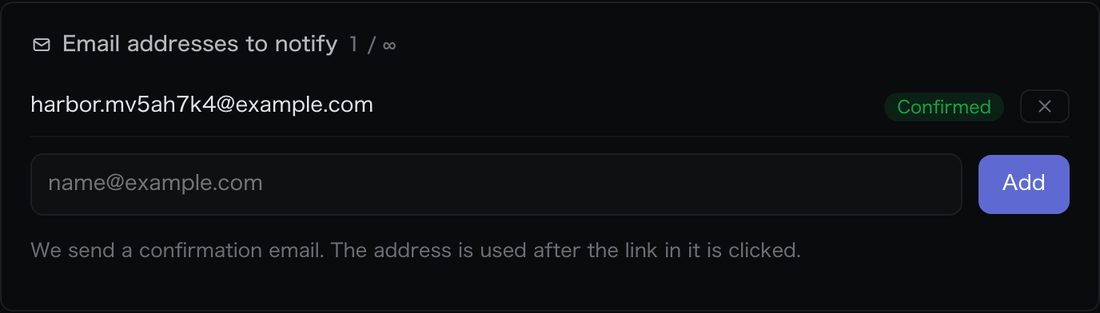
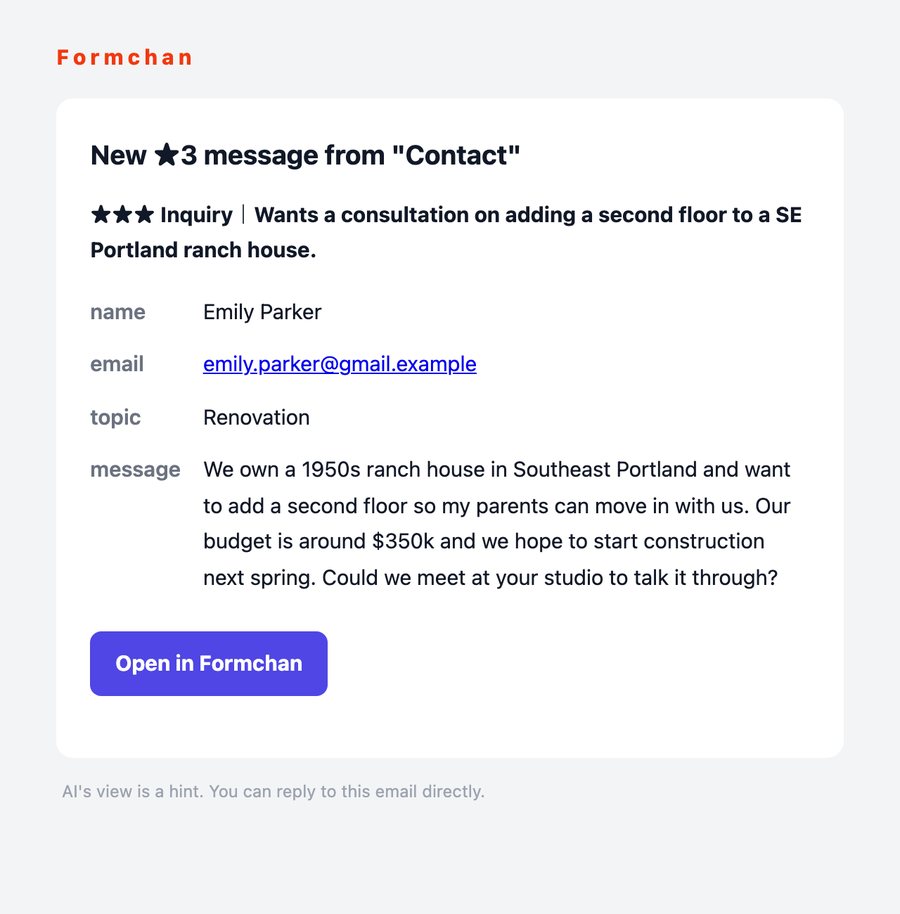
★3 messages are emailed to your notification addresses as soon as they arrive. When you add an address, we send it a confirmation email; notifications start after the link in it is clicked.
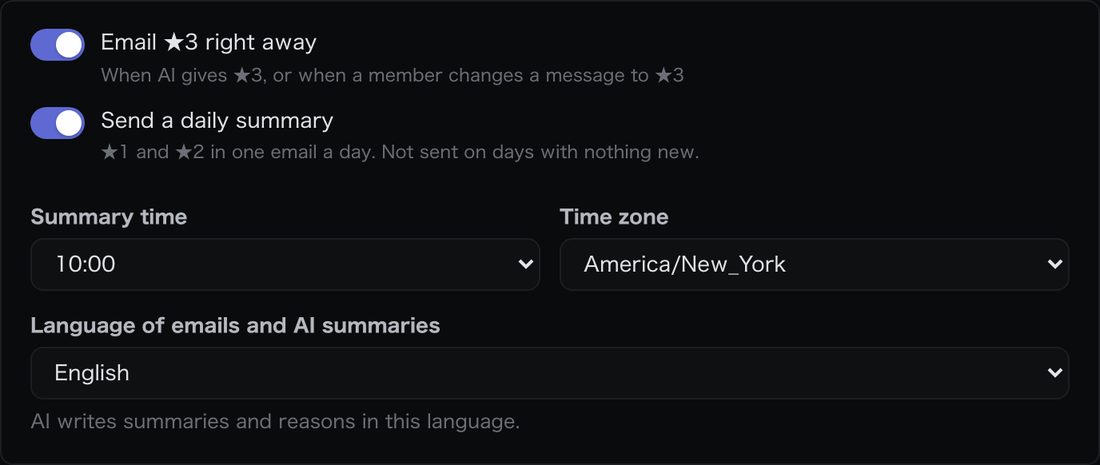
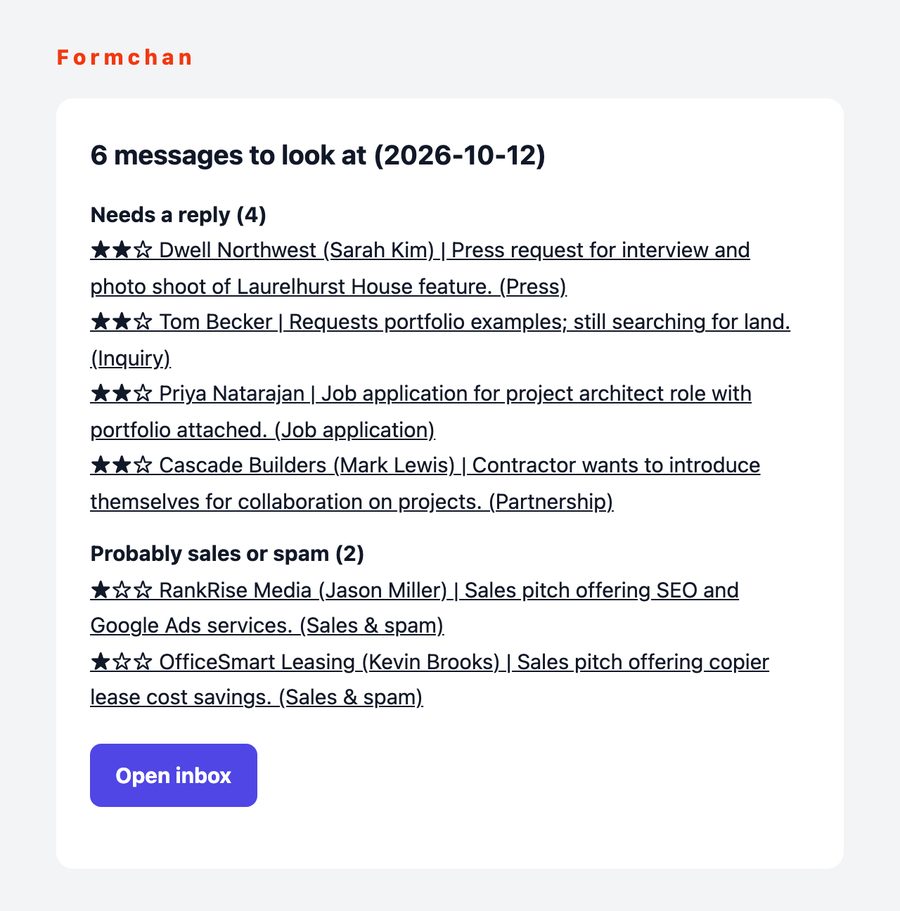
★1 and ★2 come together in one email a day. You can change the time, and no email is sent on days with nothing new.
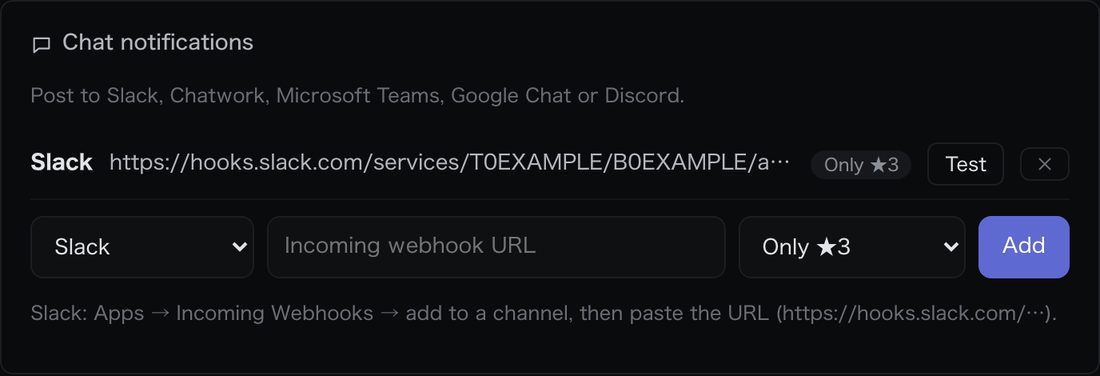
On Pro and above, you can also send messages to Slack, Chatwork, Microsoft Teams, Google Chat and Discord.
Webhooks
On the Business plan, Formchan sends a POST with JSON to your URL after each message arrives and the AI has read it.
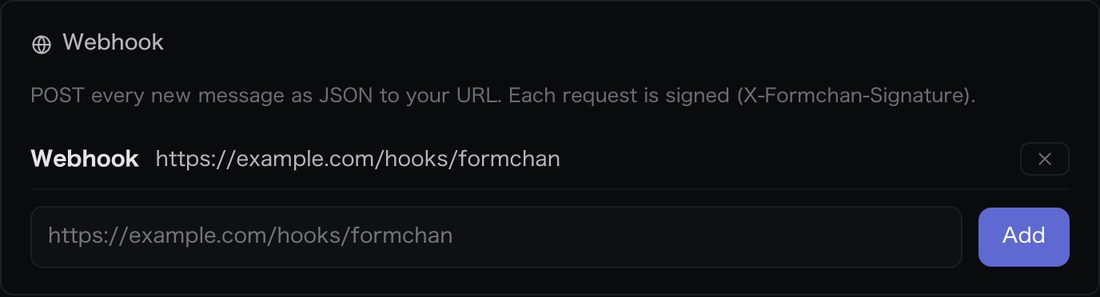
The X-Formchan-Signature header holds an HMAC-SHA256 of the request body, signed with your webhook secret, in the form sha256=…. Compute the same value on your side to check that the request really came from Formchan.
Example body
{
  "event": "submission.created",
  "at": "2026-10-12T09:29:41.000Z",
  "workspace": { "id": "w_…", "name": "Harbor Design Studio" },
  "submission": {
    "id": "sb_…",
    "number": 1,
    "form": { "id": "fm_…", "name": "Contact" },
    "received_at": "2026-10-12T09:29:38.000Z",
    "name": "Emily Parker",
    "email": "emily@example.com",
    "fields": { "name": "Emily Parker", "email": "emily@example.com", "message": "…" },
    "stars": 3,
    "tags": [{ "id": "tg_…", "name": "Inquiry", "by": "ai" }],
    "summary": "Wants a consultation on adding a second floor.",
    "reason": "Concrete request with budget and timeline.",
    "done": false
  }
}
Checking the signature (Node.js)
import crypto from 'node:crypto';

// rawBody: the request body as a string, before JSON.parse
function isFromFormchan(rawBody, signature, secret) {
  const expected = 'sha256=' + crypto.createHmac('sha256', secret).update(rawBody).digest('hex');
  const a = Buffer.from(expected), b = Buffer.from(signature || '');
  return a.length === b.length && crypto.timingSafeEqual(a, b);
}
If messages do not arrive, check the action URL and the list of allowed sites in your form’s settings.
Give important inquiries your attention.
Free for up to 100 messages a month. All you need is an email address. No credit card.
Start free